Cache-Control is the response’s instruction to caches. It tells them whether reuse is allowed and how freshness should be handled. A broad rule such as “cache everything for a day” skips the question that matters first: who is allowed to receive this response?
Decide who can store the response
Use private when the response may be stored by a private cache but must not be stored by a shared cache. Use no-store when caches must not store the request or response under the directive’s rules. Neither directive erases data already stored elsewhere or replaces an access-control check.
The public directive explicitly permits shared caching in situations that might otherwise prevent it. Apply it only when sharing is safe. A response that contains account data is not made safe by a short TTL.
| Directive | Meaning | Common mistake |
|---|---|---|
| private | Shared caches must not store the response | Assuming it disables browser storage |
| no-store | Caches must not store the response | Treating it as a purge of older copies |
| no-cache | Validate before reuse | Assuming storage is forbidden |
| public | Explicitly allows shared caching | Using it for personalized HTML |
Use validators when a stored response becomes stale
An ETag or Last-Modified value lets a cache ask whether the representation changed. A successful not-modified response can avoid transferring the full body, but validation still involves an upstream exchange unless another cache can answer it.
A validator does not invalidate fresh copies automatically. If a mutable URL has a long freshness lifetime, publishing a new ETag at origin does not force every cache to check immediately.
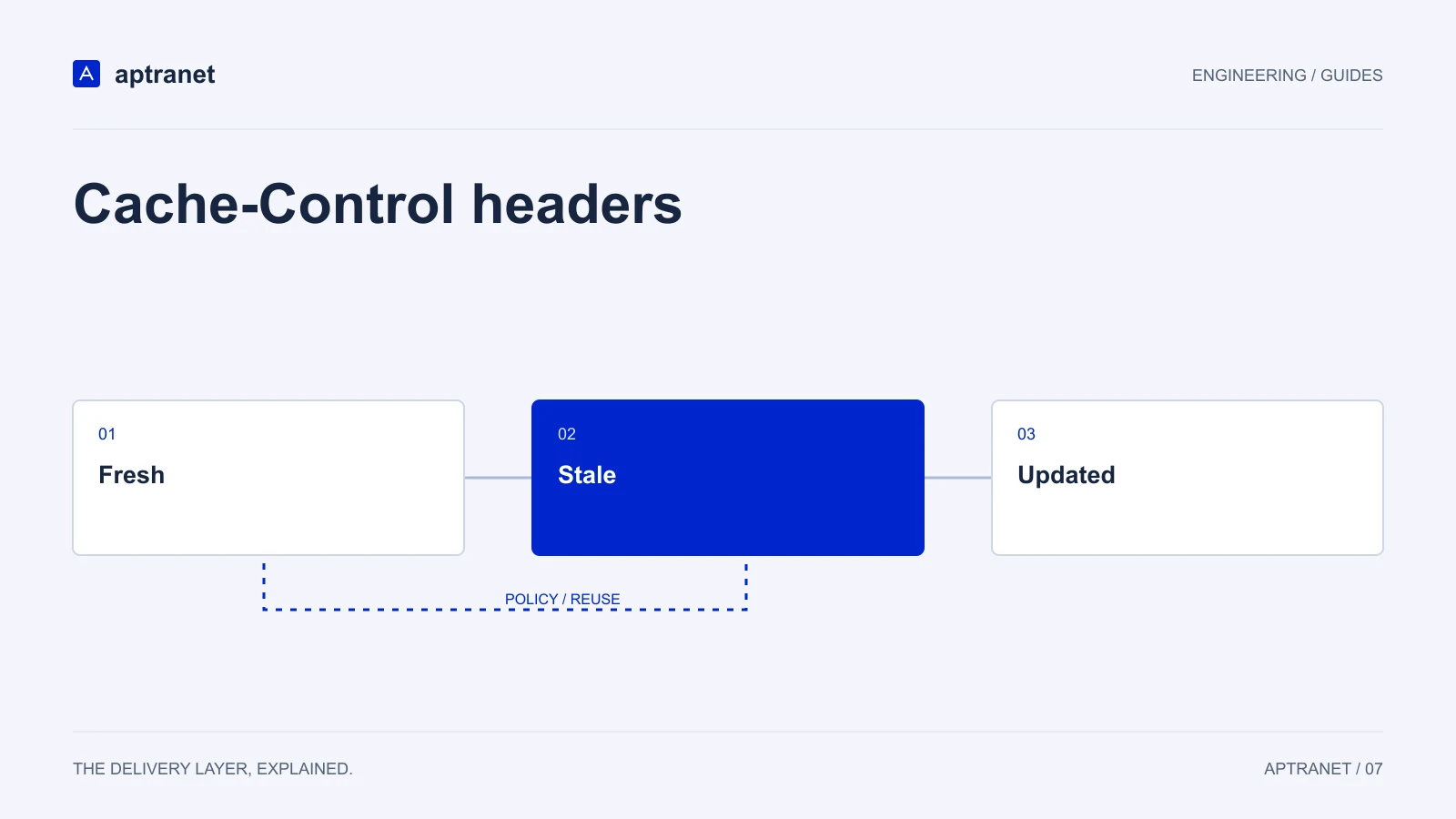
Freshness decides when validation is needed
- 01FreshReuse while policy allows it.
- 02StaleValidate or fetch according to policy.
- 03UpdatedStore the eligible new representation and lifetime.
Version immutable assets, invalidate mutable URLs
Content-hashed filenames give changed bytes a new URL. That supports long-lived caching while older pages continue to reference older assets. Do not overwrite a versioned filename with different content.
HTML, manifests, and other stable pointers need a separate update strategy. Use a suitable lifetime and a narrow purge when required. Remember that invalidating a CDN copy does not remove a fresh copy from a visitor’s browser.
Cache-Control: public, max-age=31536000, immutable

# Example URL: /assets/app.8d31c2.js
# Publish changed bytes at a new content-hashed URL.
Test the policy from the client side
Inspect response headers from the public endpoint, then repeat the request and compare cache status, Age where present, and the response body. Change the origin resource in a controlled test and verify the freshness or invalidation path you intended.
Test cookie-bearing and authenticated requests separately. If a request can receive a different body because of a user, permission, query parameter, or representation header, that distinction must be reflected in the bypass or key policy.